Virtual card vs. physical card: Which to use?

Virtual cards can be a great way to shop online with added security and convenience. But there are times when using your physical credit card may make more sense. While there are plenty of benefits to virtual cards, you may still find yourself wondering, “How do I know which to use—and when?”
Learn the differences between virtual and physical credit cards, including the benefits of each and when to use them.
What you’ll learn:
-
A virtual card can be a convenient option for making online purchases quickly and easily—without needing your physical card on hand.
-
Virtual cards use unique numbers that are linked to your credit card account, helping keep your actual card number private online.
-
Virtual and physical cards differ in where they can be used, how they’re accessed and how they help protect your information.
-
You may need to use your physical credit card in certain situations, like hotel check-ins or rental car purchases, that require verification.

Virtual card meaning
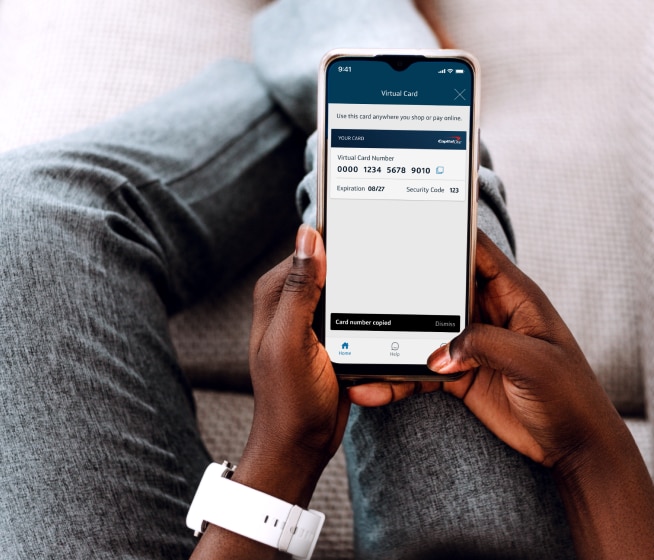
Virtual cards are credit cards you can use digitally. You can create multiple virtual cards linked to your credit card account, each using a different number and expiration date than your physical card. This provides an additional layer of security since your actual card number isn’t exposed if your virtual card number is compromised.
Virtual cards can also give you added control. You may be able to lock and unlock a virtual card without affecting your physical card. In some cases, you can create dedicated virtual cards for different online stores. These merchant-specific virtual cards allow you to autofill store-specific virtual card numbers for quicker, easier checkout.
Physical card meaning
A physical credit card is a traditional plastic credit card that contains a card number, expiration date and CVV code. It’s tied to your credit card account and can be used for in-person transactions. Unlike a virtual card, you can tap, insert or swipe a physical card at checkout.
What’s the difference between a virtual card and a physical card?
Virtual and physical cards differ in format, how they’re used and the security features they offer. Here’s a quick breakdown of some key differences between a virtual and a physical card:
| Virtual card | Physical card | |
| Format | Digital card number linked to your credit card account (may be merchant specific) | Plastic card with your name, 16-digit number, expiration date, CVV code and magnetic strip or chip |
| Applicability | Primarily for online, in-app or over-the-phone purchases | Can be used for in-person and online purchases and at ATMs (if applicable) |
| Accessibility | Instantly accessible through your bank’s mobile app or available for autofill on Chrome or in Android apps | Usable once the physical card arrives in the mail |
| Security | Added protection that helps keep your actual card number private | Includes fraud protection and EMV chip technology |
| Account management | Can be locked or unlocked without affecting your physical card | Managed at the account level; can be locked, replaced or reissued if lost |
When to use virtual cards from Capital One
You may choose to use your Capital One virtual card instead of your physical card in these scenarios:
-
When you want added security: When shopping at an online store you’re not familiar with, using a virtual card may give you extra peace of mind by helping keep your actual card number private when entering your payment information.
-
When you want more convenience: Instead of having to find your physical Capital One credit card when you’re ready to make a purchase online, you can access your virtual card through the Capital One Mobile app or by using autofill on Chrome and in Android apps.
-
When you lose your physical card: If your physical card is lost, you can use a virtual card to shop online while waiting for your new card to arrive in the mail, and you can create new virtual cards for specific merchants.
-
When paying for subscriptions: You can create virtual cards for each of your subscription services and use them for recurring payments. This may help you maintain uninterrupted access to your subscriptions, even if your physical card number changes.
When to use your physical credit card from Capital One
While virtual cards are useful, circumstances when you may want to use your physical credit card instead include:
-
When shopping in stores: Virtual cards are meant to be used for online or over-the-phone purchases, so you may need your physical card for in-store transactions.
-
When making a reservation: Certain types of reservations may require you to present your physical card at the time of service. Examples include checking into a hotel, picking up a rental car or picking up tickets at will call.
-
When requesting a refund from certain stores: While less common these days, certain stores still require you to insert your physical credit card into a card reader before you can be issued a refund. This may be more complicated if you made the purchase using a virtual card.
How to get a virtual card for your Capital One credit card
You can access or generate virtual cards in different ways: through the Capital One Mobile app or by using Google Pay on Chrome or in Android apps.
-
Capital One Mobile app: Your virtual card is available 24/7 in the Capital One Mobile app. Sign in to your account through the mobile app to access it.
-
Google Pay on Chrome or in Android apps: Customers who have an eligible Capital One credit card with Google Pay on Chrome or in Android apps can use Google Pay virtual cards. Simply choose a virtual card from the autofill drop-down menu at checkout to complete your purchase.
Key takeaways: Virtual card vs. physical credit card
When deciding whether to use a virtual card or your physical credit card, you’ll want to consider the situation at hand. Virtual cards offer greater convenience and an added layer of security when checking out online. But some purchases may require you to present your physical card to verify your identity.
Ready to help safeguard your information with a virtual card? Download the Capital One Mobile app today to get started.