Recurring charges: What are they and how do they work?

Recurring charges are payments that are automatically billed to your account. Recurring payments can be convenient. But if you aren’t paying attention, you might end up with charges for something you don’t use anymore.
Read more about recurring charges, how they work and their pros and cons. Plus, learn about finding, managing and stopping recurring charges.
What you’ll learn:
- Recurring payments occur when a merchant charges your credit card or bank account at regular intervals for a product or service.
- Some examples of recurring charges include gym memberships, utility bills and streaming services.
- Recurring charges are convenient and may come at discounted prices, but if you don’t stay aware of your charges, you could unknowingly end up paying for services you no longer use.
- The Capital One Mobile app has built-in subscription management tools that can help you track and manage your recurring payments each month.
- For added peace of mind, you can set up virtual cards with custom controls to pay for subscriptions and free trials.

What are recurring charges?
Recurring charges occur when your credit card, debit card or bank account is automatically charged for a product or service at regular intervals—such as monthly, quarterly or yearly. The frequency of recurring charges may depend on what package, plan or agreement you sign up for. For example, your gym membership may charge you monthly. But you could pay an annual fee for your television service.
Tip: In some cases, you can get a discount by signing up for automatic payments. Plus, you may be able to score an additional discount by opting for annual instead of monthly payments. You often pay more upfront but experience long-term savings.
Keep in mind that some companies may use the terms recurring charges, recurring payments and automatic payments interchangeably. So read any terms of use carefully to avoid unwanted charges.
Examples of recurring payments
Recurring charges might be for subscription-based services or products, utilities and memberships. Some common examples of recurring charges include:
-
TV or music streaming service subscriptions such as Netflix or Spotify
-
Utility bills such as phone bills
-
Meal kits or food delivery
-
Gym memberships
-
Product subscriptions such as those for coffee beans or pet food
Types of recurring payments
There are two types of recurring payments: fixed and variable.
-
Fixed recurring payments: These costs will usually be the same each billing cycle. An example of a fixed recurring charge is a gym membership.
-
Variable recurring payments: These charges may change each billing cycle based on factors like usage or quantity. For example, your electricity bill likely increases if you use more electricity. Or a cloud storage service may charge different fees depending on how many gigabytes of storage you need.
How do recurring charges work?
In most cases, you initiate a recurring payment plan when you complete the sign-up for a service or buy a product. The process can vary depending on the merchant, but it typically follows these similar steps:
-
Select a recurring payment plan. In some cases, you may have to set up recurring payments before you receive a product or service. Other companies may offer it as a convenient option for customers.
-
Provide billing information. Before any recurring charges show up on your bill, you’ll provide your credit card or debit card information to authorize the charges. That typically happens when you sign up for a service or purchase a product.
-
Begin making payments. After you provide your billing information and complete your initial purchase, you’re all set. The merchant will charge your on-file payment method each billing cycle. Recurring charges tend to happen at the same time every month.
-
Receive a record of the transaction. Finally, the merchant will usually send a receipt to let you know they’ve processed your automatic payment. You can also find the transaction on your credit card, debit card or bank statement.
Pros and cons of recurring charges
Recurring payments may have several benefits for users and businesses. But there could be some potential disadvantages as well. Consider all possible pros and cons to make an informed decision that works best for you and your finances.
Advantages of recurring charges
Some possible benefits of recurring payment plans are:
-
Convenience: Generally speaking, recurring payments are convenient for users. You only have to input your payment details and check out once to authorize the charges. After that, the seller will automate future purchases indefinitely—unless you cancel or adjust your plan.
-
Potential savings: Some companies offer discounts to customers who set up automatic payments. That means you could save money on products and services you already use.
Disadvantages of recurring charges
Potential downsides of recurring payments may include:
-
Overlooked charges: Some people pay their credit card balances without checking each transaction. If that’s the case, you could miss recurring charges for products or services you no longer use.
-
Possible risk of fraud: When merchants store your card information on file for recurring charges, your card information could be stolen and used by a fraudster.
How to find recurring charges
If you’ve authorized recurring payments, you can review your credit card statement to see when similar payments have cleared. For instance, if you’ve been paying for a meal delivery service, you might spot the same charge from that company on the 15th of every month.
One of the easiest ways to find your recurring charges is with the built-in digital tools in the Capital One Mobile app. Simply sign in to your account to access a full suite of subscription management tools. From the app, you can get a snapshot of upcoming bills and subscription payments, along with expected due dates and charge amounts.
How to manage recurring charges
Recurring payments can help you save time and money. But tracking them isn’t always easy. Here are a few ways you can manage subscriptions and other recurring charges.
-
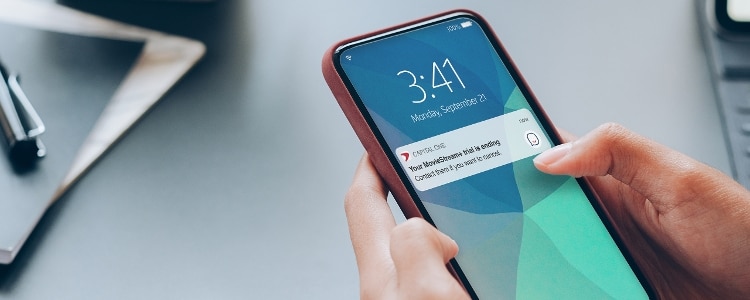
Set trial period reminders: Some businesses offer free trials. After the trial ends, the merchant will begin charging the payment method you placed on file. To avoid winding up with unwanted recurring charges, you could set a notification before the trial period ends. That way, if you decide you don’t want the service, you can opt out before you’re charged.
-
Add the recurring costs to your budget: Adding recurring payments to your budget can help you stay aware of how much you’re spending on them each month.
-
Use digital tools: Eno, your Capital One virtual assistant, regularly monitors your credit card account’s activity and can notify you when it spots a recurring charge that’s higher than usual. And with the subscription management features built into the Capital One Mobile app, you can view recurring charges, cancel subscriptions and block future charges all in one convenient place.
-
Use virtual cards: Virtual cards from Capital One may provide more security when signing up for subscriptions online. Since virtual card numbers are unique numbers linked to your account, fraudsters wouldn’t have access to your physical card number if a merchant’s site were breached. Plus, if you use a virtual card to set up a free trial, then you can set custom controls that automatically lock your virtual card after a specific date and prevent additional charges.
-
Continue monitoring: Periodically evaluating recurring charges can help you identify products or services you may no longer want or need and cut expenses. It can also help you catch any billing errors or price increases earlier. The Capital One Mobile app makes it easy to monitor recurring charges. Sign in to get a snapshot of upcoming bills and subscription payments, along with expected due dates and charge amounts.
How to stop recurring payments
If you decide you no longer want to pay a recurring charge, here are a few steps you can take.
-
Contact the merchant: You can directly contact the company providing the product or service and let them know you want to cancel or unsubscribe. You may be able to do that online, in person, by phone or by mail. Keep in mind, it could take time to stop the automatic payment depending on the company and its terms.
-
Contact your bank: Once you’ve informed the seller, the Consumer Financial Protection Bureau (CFPB) says to contact your bank. Tell your financial institution that you revoked the merchant’s authorization to charge your debit card or credit card. In some cases, you may have to submit a stop payment order to ensure your bank won’t allow the merchant to make any more transactions.
-
Monitor your accounts: Finally, keep an eye on your accounts. If you see an unauthorized payment made after canceling your service, you may be able to dispute the charge and get your money back.
For Capital One customers, stopping recurring payments can be quick and convenient. Using Capital One’s built-in subscription management tools, you can easily cancel subscriptions, as well as block future charges,* directly from the Capital One Mobile app.
Key takeaways: Recurring charges
After initially authorizing recurring payments, you won’t have to manually input your billing information or check out again. But to make sure you know where your money is going and to avoid paying for things you don’t use, it’s important to keep track of recurring charges and make changes when you need to.
Luckily, managing recurring charges is much easier with the Capital One Mobile app. With access to virtual cards and subscription management features built right in, it’s easy to stay on top of your finances—including your subscriptions and other recurring payments.