How to make a mobile check deposit
Wondering how to deposit a check online? The process is safe, simple and speedy.
Summary
- Mobile check deposits let you deposit paper checks directly from your smartphone without visiting a branch or ATM.
- To make a mobile deposit, you’ll need a smartphone, access to your bank’s mobile app and an eligible endorsed check.
- Be sure to follow your bank’s instructions carefully, including taking clear photos of the front and back of the check and confirming the deposit details.
- Keep your check until the deposit is processed, then securely destroy it to help protect your personal information.
As more banking customers turn to digital transfers and payment apps to send money, paper checks have become far less common than they once were: According to a Federal Reserve report, paper checks made up just 3% of all payment transactions in 2024.
However, many businesses, financial institutions and even state and federal governments still issue paper checks—so you may still need to deposit one into your account. The Federal Reserve report also found that 38% of U.S. consumers had made at least one payment by paper check in the 30 days before the survey.
Whether you have an online bank or simply don’t want to visit your local branch or ATM, here are a few considerations when determining how to deposit a check from your smartphone directly into your account. Be sure to follow your bank’s specific instructions, as they may differ from other banks.
The convenience of mobile check deposits
Depositing a check from your phone or other device is one of the most convenient features of mobile banking today. It allows you to put funds from a paper check directly into your bank account without visiting a branch.
Mobile deposit is especially convenient if you need to deposit a check after business hours, on a bank holiday or even over a weekend. Depending on when you submit your mobile deposit and how long you’ve been a banking customer, your funds could be available for use as soon as the same business day.
Mobile check deposits: What you need
You’ll typically need three things to make a mobile check deposit into your checking or 360 Performance Savings account. You should have:
- A smartphone or other mobile device with an internet connection and a camera
- Access to your bank’s online platform or app
- An endorsed check payable to you
Depending on your account type and the length of your relationship with your financial institution, you might have limits on how much you can deposit via mobile app each day, week or month.
How to deposit a check online
If you have a checking account with mobile deposit capability, you can make a check deposit from your phone or tablet by following these steps:
- Download your bank’s mobile app and ensure you have active login information. You also might need to give the app access to your phone’s camera.
- Log in to your account. Choose the account where you’d like to make the deposit (such as your checking, savings or money market account). Navigate to the section for depositing checks. This might be labeled something like Mobile Deposit or Check Deposit.
- Confirm you’re the designated payee of the check. If the check isn’t payable to you, you won’t be able to make an online deposit successfully. Third-party checks (checks endorsed to you by someone else) will also not be accepted.
- Ensure your check is from a financial institution based in the United States and is eligible for mobile deposit. Money orders, traveler’s checks, savings bonds, substitute checks and checks from foreign banks (or written in a foreign language) aren’t accepted.
- Endorse the back of the check. Include your signature, as you would on any check you plan to deposit. Another tip on how to endorse a check for mobile deposit: Some checks have a mobile check deposit checkbox below the signature line that you should mark. Others require that you write that it’s for a mobile deposit under your signature.
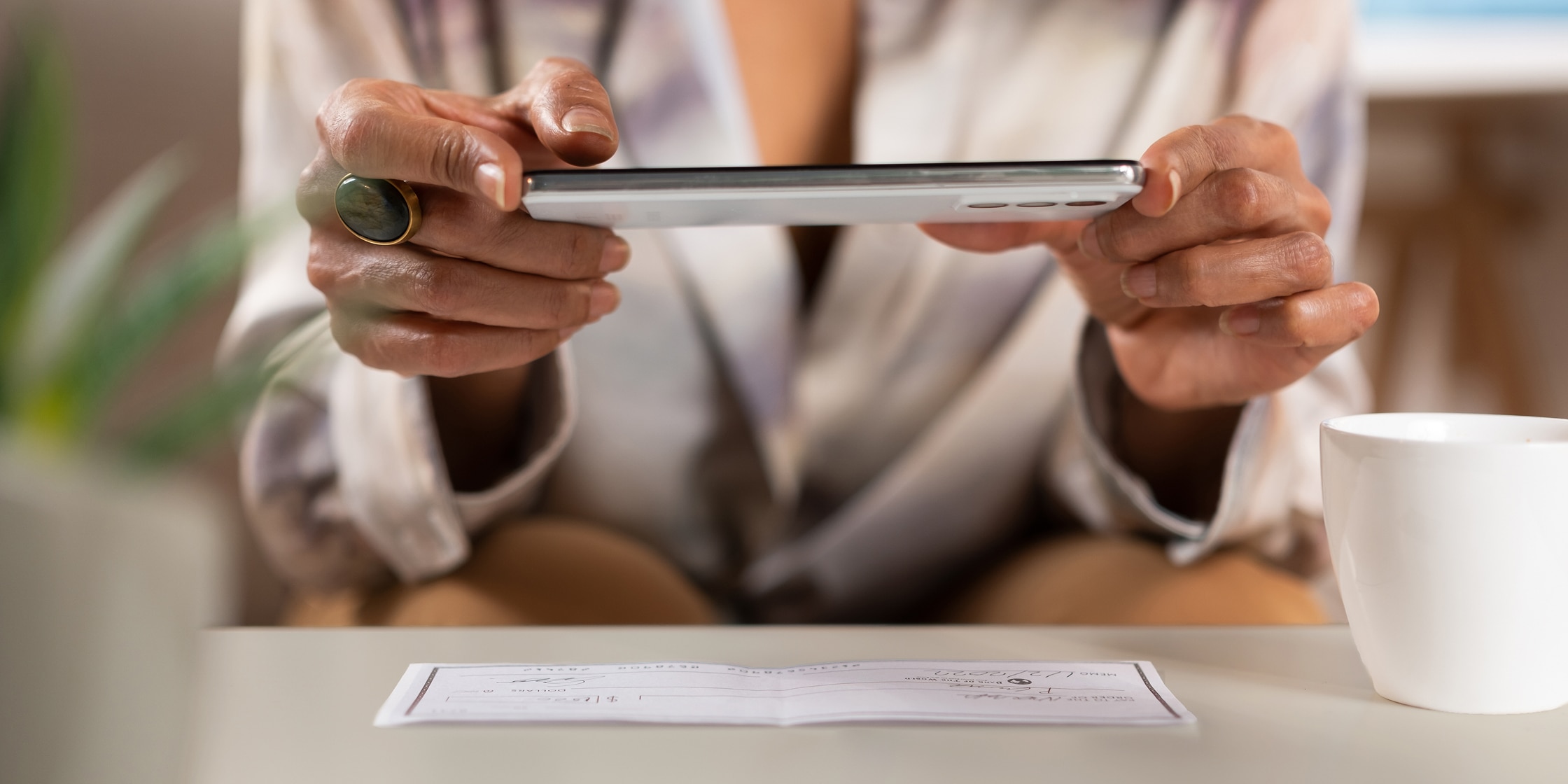
- Take a picture of both sides of the check against a dark background. When prompted by the app, take a clear and well-lit picture of the front of the check. Ensure the entire check is visible within the guidelines provided by the app. Most apps will require you to hold the camera steady for a moment to make sure the picture is properly aligned. Repeat the process and photograph the reverse side with your endorsement signature.
- Confirm the check information is correct. Double-check that the images were accepted and the deposit amount is accurate. Then, submit the deposit.
- Hold on to the check until it’s processed. It’s a good idea to keep a hard copy of the check for 10 business days.
Now, you’ll wait for your funds to appear. How long does mobile deposit take? Depending on the check, your account and how long you’ve been a customer at your bank, this might happen on the same day or take up to five business days. When you use a Capital One 360 Checking account to deposit checks, funds could hit your account by the following business day.
Keep the check until your bank confirms the deposit and the funds are available. Once you know there are no issues with the deposit, shred the endorsed check to help prevent misuse.
FAQ: How to make a mobile check deposit
Is mobile deposit safe?
Mobile check deposit is generally considered safe, depending on your bank and the security features in place. It’s also important to only log in to your bank account when you’re using your cellular network or a secure connection rather than a public Wi-Fi network, which can be a popular target for fraudsters.
Can I deposit any kind of check?
It may depend on your financial institution or the amount of the check. Generally speaking, most types of checks—personal, business, cashier’s, government-issued, etc.—are accepted via mobile deposit.
There are some exceptions, however. Checks that typically can’t be deposited via mobile deposit include money orders, traveler’s checks, savings bonds, foreign checks, checks payable to “cash,” checks more than six months old or postdated and third-party checks (checks endorsed to you by someone else).
How long does a mobile check deposit take?
The time it takes for a mobile check deposit to process can vary depending on your bank, the amount of the check and when you submit the deposit. In many cases, funds may be available within one to three business days, though some deposits may take longer.
What should I do with a check after I deposit it through my mobile app?
After you deposit a check through your mobile app, keep the paper check in a safe place for a short time in case you need it for reference. Once you confirm the deposit has been processed, you can securely destroy the check to help protect your personal information.
Key takeaways: How to make a mobile check deposit
Managing your checking account is easier than ever with mobile banking tools that let you deposit checks from almost anywhere. As a result, you can quickly and securely move funds into your account without visiting a branch.
Some things to keep in mind about mobile deposits:
- Mobile check deposits let you deposit eligible paper checks using your smartphone, bank app and camera.
- Following the proper steps—such as endorsing your check, taking clear photos and confirming your deposit details—can help ensure a smooth transaction.
- Keep your check until your deposit is processed. Then, destroy it to help protect your personal information.
With the right mobile banking tools, like Capital One’s top-rated mobile app, you can manage your accounts on the go.