
GET THE MOST OUT OF VIRTUAL CARDS

Instant access
Start shopping online before your physical card arrives in the mail.*

Subscriptions
Avoid unwanted spending by managing your subscriptions and free trials.

Merchant-specific
Use a unique virtual card for each merchant to help protect you from data breaches.

No physical card
Use a virtual card number to shop online when you can’t access your physical card.

One-time use
Create a disposable virtual card number for a single purchase.

Lost or stolen
You can still shop online if your physical card is lost or stolen.
TAKE A CLOSER LOOK
What are virtual card numbers, and how do they work?
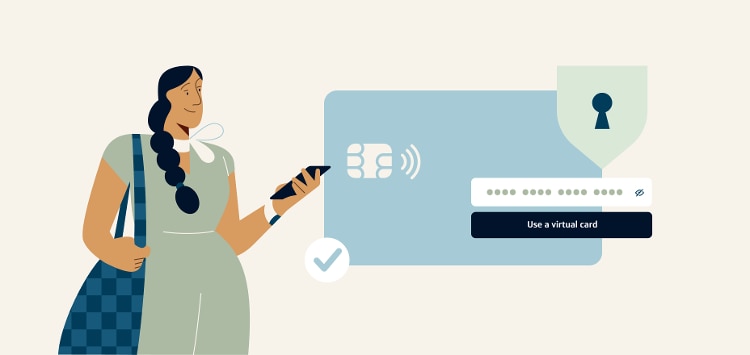
Virtual card numbers let you shop online more securely without sharing your physical card number. Shop anywhere instantly with your virtual card or create new virtual cards for specific merchants.
VIRTUAL CARDS VS. PHYSICAL CARDS
Get control, security and convenience
| CAPITAL ONE VIRTUAL CARD | PHYSICAL CREDIT CARD | |
|---|---|---|
| Data security | A unique card number is shared with each merchant, protecting your physical card number | The number on your physical card is shared with every merchant |
| Flexible spend control | You can have multiple merchant-specific virtual cards at one time and can lock or unlock them without affecting your physical card | One card to use for everything |
| Access speed | Start shopping and earning rewards the second you’re approved for your credit card* | Wait 7-10 business days for your physical card to arrive in the mail |
| Card number updates | No updates needed; virtual card numbers stay active even if your physical card is replaced | Update every site where your card number is stored if your physical card is replaced |
CREATE AND MANAGE VIRTUAL CARDS
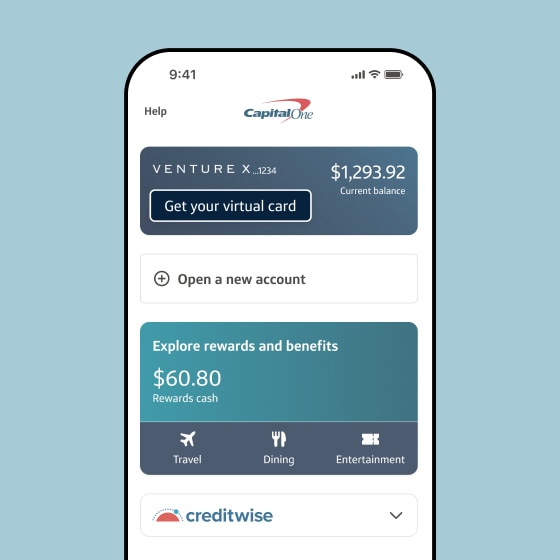
STEP 1
Sign in to the Capital One Mobile app
Sign in and select the Get your virtual card button from the account you want to use.
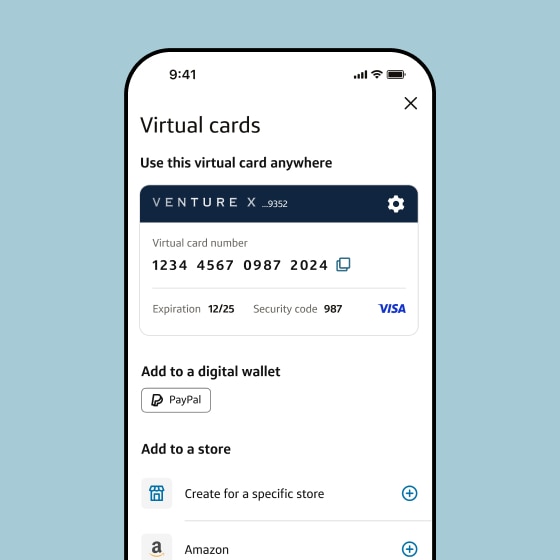
STEP 2
Create virtual cards
Access your virtual card for use anywhere, add it to digital wallets and create merchant-specific virtual cards.
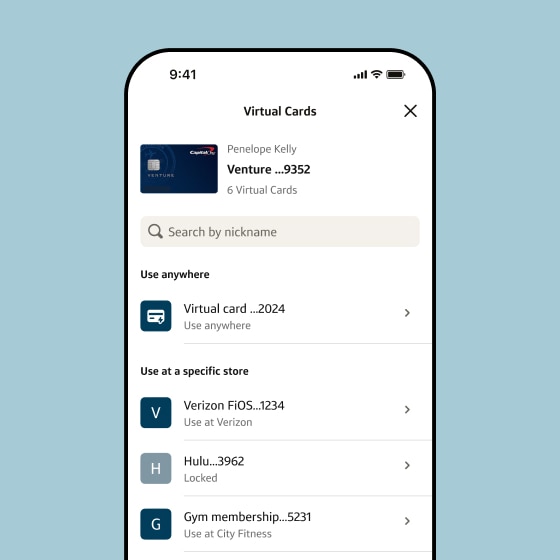
STEP 3
Manage virtual cards
Select Virtual card manager to see all your virtual cards, lock specific cards and more.
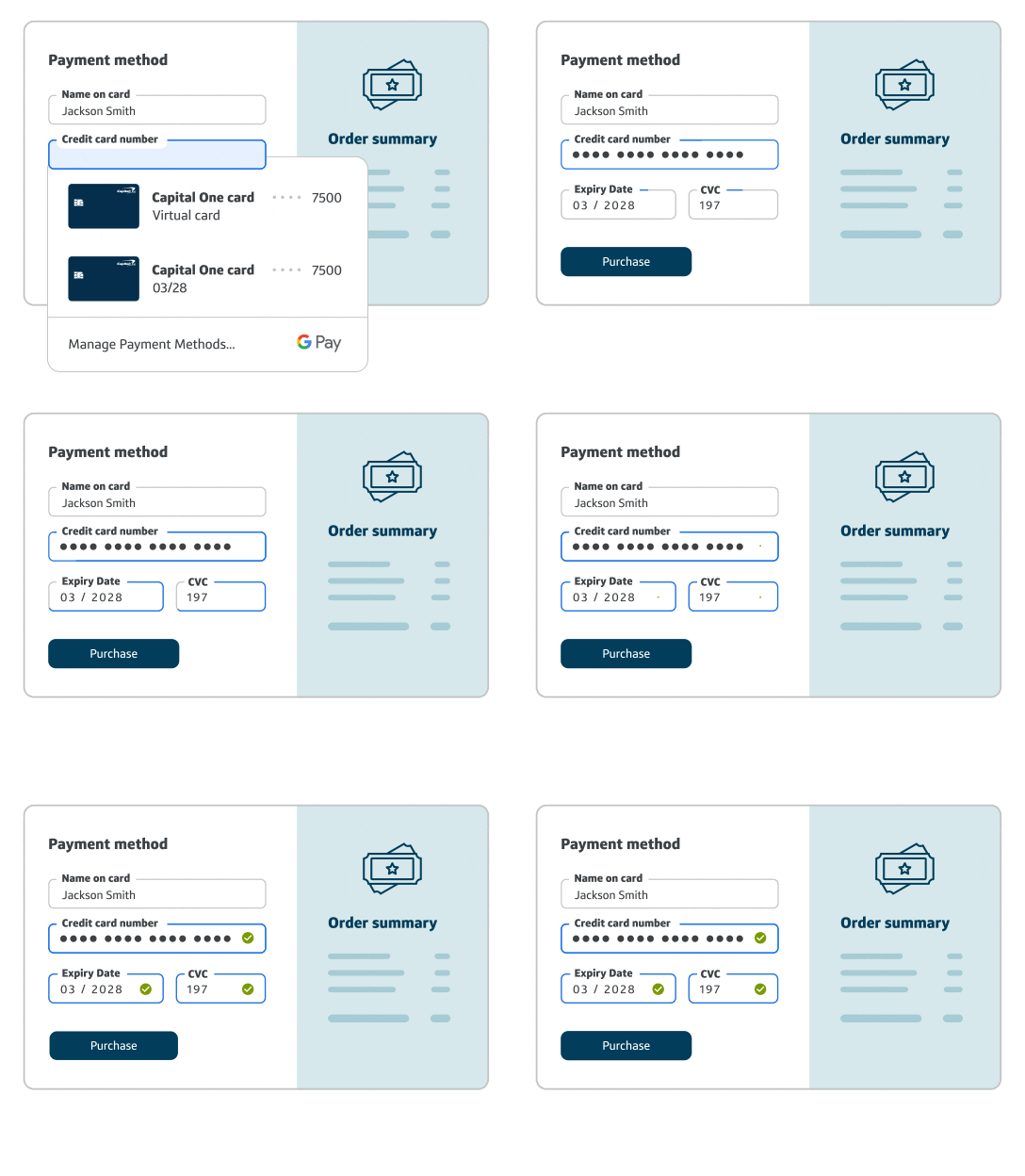
VIRTUAL CARDS ON CHROME

Use virtual cards on Chrome and Android apps
When you add your Capital One card to Google Wallet, your payment details will be filled in automatically the next time you check out using autofill.
TAKE A CLOSER LOOK

VIRTUAL CARD FAQS
Will I still earn my rewards on a virtual card?
Yes, you’ll still earn credit card rewards as you normally would on any transactions made with your virtual cards. This also means you can start earning toward your Early Spend Bonus by shopping online with your virtual card—even before receiving your physical card in the mail.
Can I have multiple virtual cards?
Yes, eligible Capital One cardholders can have multiple virtual cards associated with a single credit card account. You can have one virtual card for general use at any online merchant accepting virtual cards, and you can also create multiple merchant-specific virtual cards that can only be used at the designated website.
Can I use a virtual card in stores?
No, Capital One virtual cards are generally meant for online use only. They can’t be added to digital wallets for tap-to-pay use in physical stores.
Do virtual cards expire?
Yes, virtual cards expire. Each virtual card you create will have its own 16-digit card number, security code and expiration date. You can even set some merchant-specific virtual cards to expire after a single use.